Lovable · Bolt · v0
Vibe coding apps
- Generate a fresh app from a prompt
- Live in a sandboxed builder
- One generative agent autocompleting the whole thing
- Generic AI patterns regenerated each turn
- Demo-quality output you eject and clean up later
platform · automation
Coordinate workflows, remediation, approvals, Agent Teams, and operational execution across connected systems.
Omnix Automation understands systems, ownership, dependencies, and operational risk before taking action.
the problem
Traditional automation reacts to isolated events without understanding ownership, dependencies, operational impact, or organisational risk.
Omnix Automation connects workflows and Agent Teams to the operational graph, so execution happens with context.
without omnix
Six tools, six triggers, no coordination.
with omnix automation
One execution layer. The context already attached.
Owner
Routes to the team accountable from live ownership.
Blast radius
Knows what's downstream before it touches anything.
Approval path
High-risk steps gate to a human. Low-risk runs unattended.
Audit trail
Every action carries the operational context it ran in.
agent teams
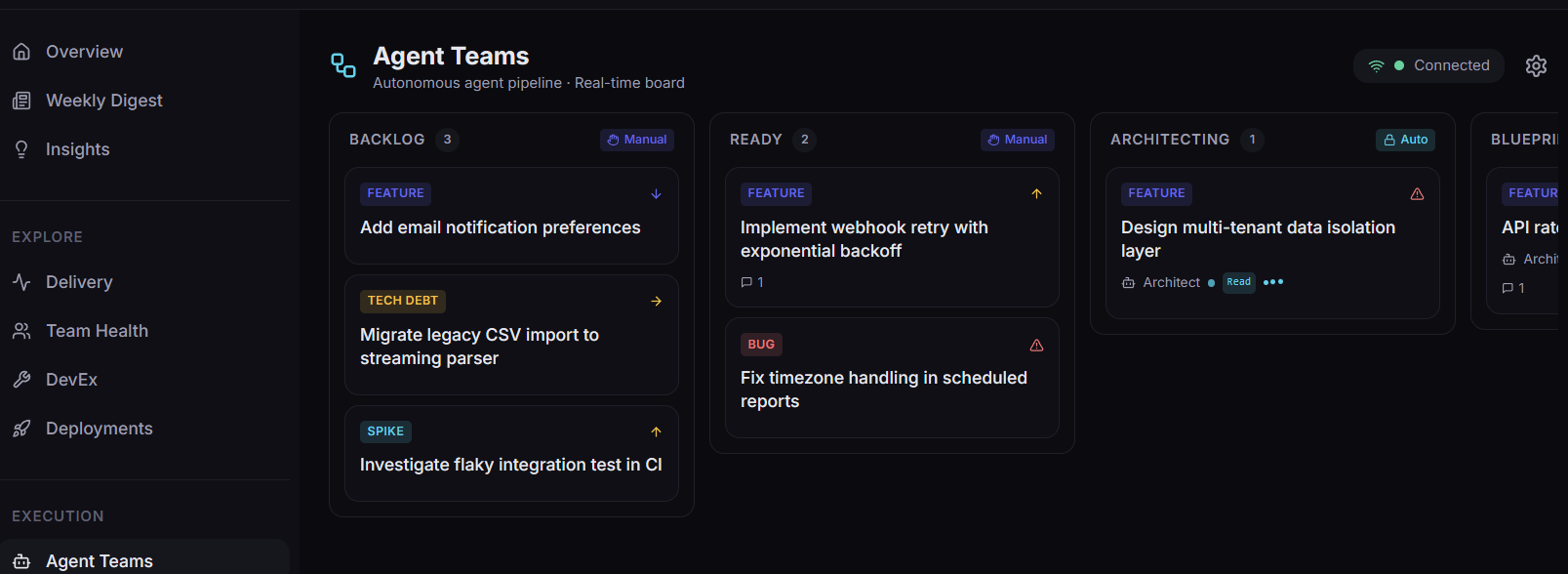
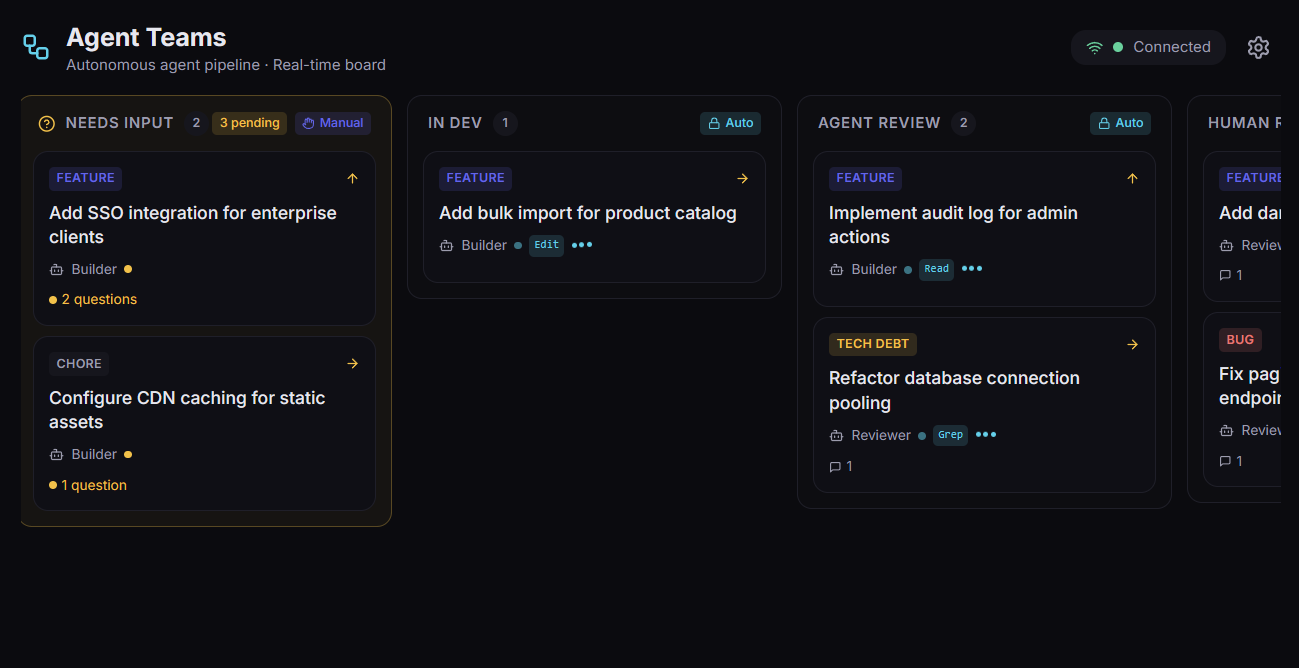
Agent Teams pick up well-defined work items from your existing tracker and ship pull requests. They read ownership, dependencies, and operational risk before they act, and they run inside the same policy and approval model as the rest of Automation. Same execution layer whether the ticket comes from your backlog or from an Omnix-surfaced insight.
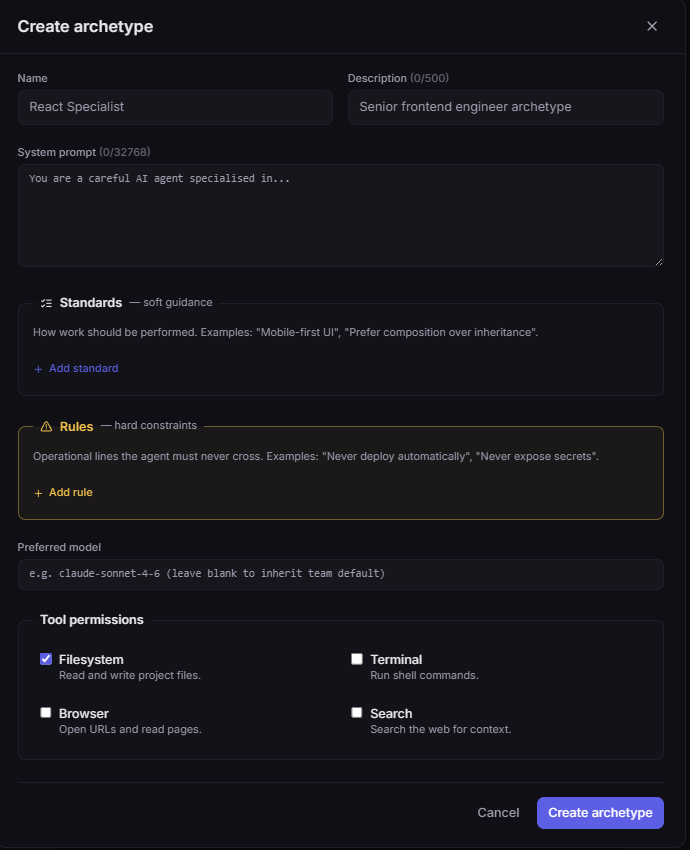
Each agent role is a reusable archetype: system prompt, standards, rules, model, and tool permissions. Defined once, bound to many agents.
Standards are soft guidance for how work should be performed. Rules are operational lines an agent must never cross. Mixing them is how AI agents either ignore constraints or behave like bureaucratic toasters.
Reviewer reads and grep, never commits. Engineer writes inside its branch. Permissions are tied to the archetype, not buried in agent overrides.
Specialised agents collaborate inside an Agent Team. The default roster ships ready to run; fork any role, tighten the rules, swap the model, or compose your own.
/blueprint Reads the work item, drafts a blueprint of the change: files touched, data model edits, test plan, risks.
scope Read-only on the repo. Cannot commit.
/implement-task Implements the blueprint. Edits files, runs tests, iterates until the suite is green.
scope Write access scoped to the task branch.
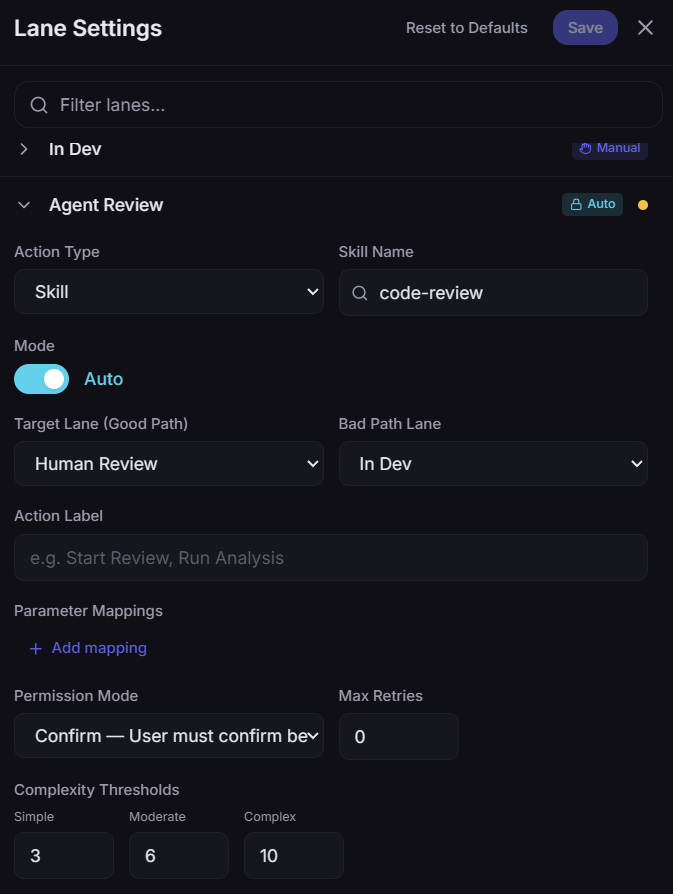
/review-task Checks the diff against your standards: missing tests, drift from patterns, AI slop. Bad path loops back.
scope Read + grep. Cannot commit. Cannot approve PRs.
PR + status Opens the pull request, fills the description from the blueprint, posts the status update back to the source ticket.
scope PR-create only. Human reviewer still merges.
where work comes from
Tickets in. Pull requests out. Backlog or Omnix insight, same flow.
Same Agent Team, same policy, same audit trail. Whether the ticket comes from your existing tracker or from an Omnix-surfaced insight, the work runs through your branch policy and human review.
Not autonomous AI personalities. Controlled execution units, ownership-aware, policy-governed, and accountable to the same humans the rest of your engineering work is.
category
Vibe coding tools generate a fresh app from a prompt, in a sandbox. Useful for prototypes, throwaway demos, the first 80% of a landing page. Omnix Agent Teams sit in a different category: agentic engineering. They operate on the codebase you already have, the backlog you already track, the branch policy you already enforce.
Lovable · Bolt · v0
Production · Reviewed · Shipped
Different category, different shape. Not a faster way to throw a prototype together. A way to chip down the backlog of work your engineers don't have time to ship.
context-aware automation
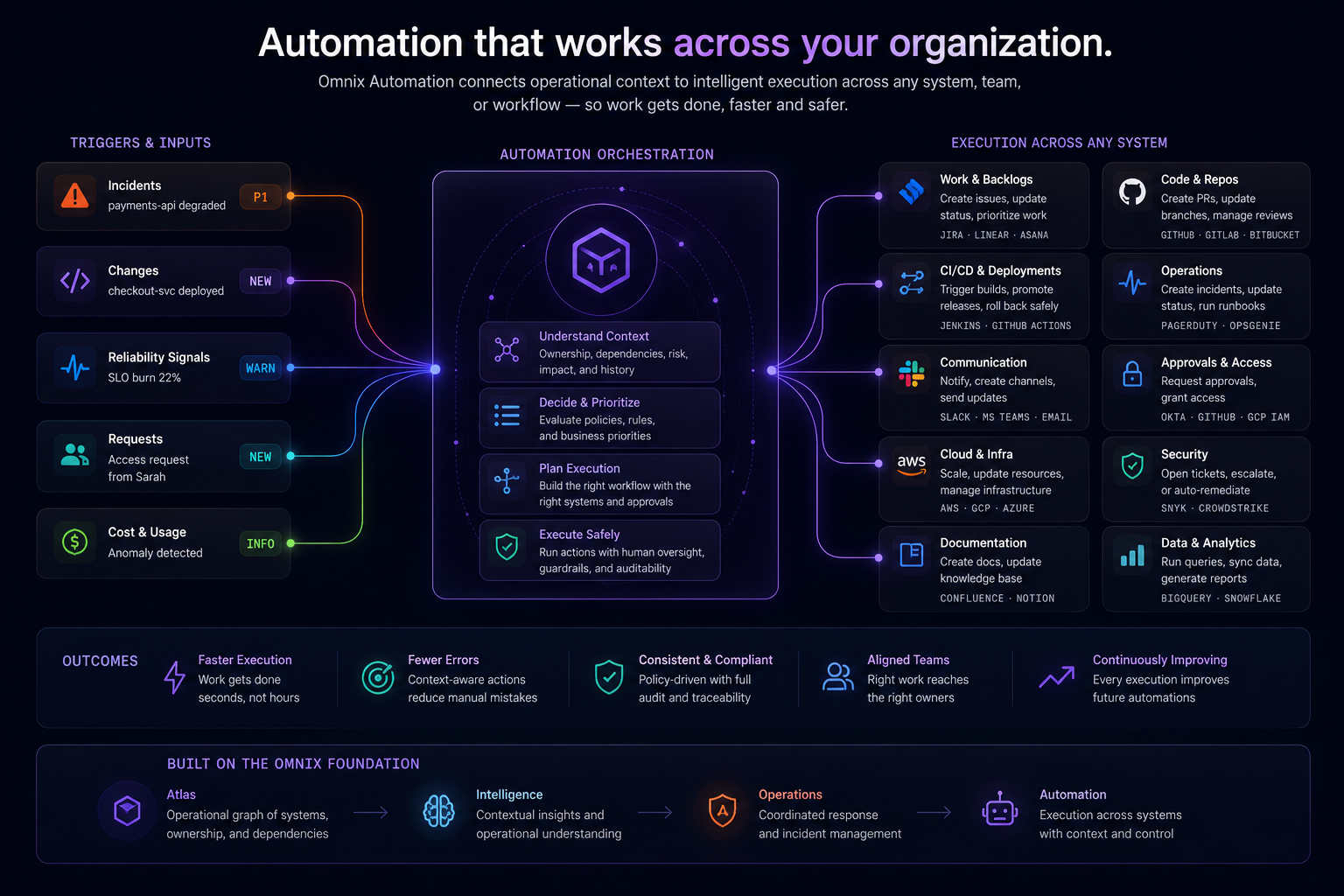
Omnix Automation connects triggers, orchestration, and execution across every system the org runs on. Every action carries the operational graph it ran in.
human + ai coordination
Omnix Automation coordinates human operators, Agent Teams, workflows, approvals, and remediation systems together. Oversight, control, and operational safety are first-class.
Sensitive steps pause for an approver. The team sees what's about to happen and what changes if they decline.
Approval requests carry full operational context: owner, blast radius, recent incidents, related deploys.
Escalations follow real ownership and rotations. Hand-offs preserve timeline, comms, and runbook progress.
Agents propose moves; humans confirm or steer. Mid-run intervention is a first-class action, not a kill switch.
Workflows, Agent Teams, runbooks, and approvals share one execution model with one audit trail.
Per-tool permission modes: confirm-before, auto-approve, or block. Tuned per skill, per team, per risk.
Not autonomous AI replacing teams. A coordinated execution layer where humans and automation share the same context, the same controls, and the same record.
operational workflows
Connect incident response, remediation, deploy coordination, security escalation, and operational approvals into one execution layer that runs with the context Atlas, Intelligence, and Operations already share.
Incident detected
Severity, signal, and timestamp captured the moment the alert lands.
Atlas identifies ownership
Service, owner, dependencies, and recent change attached automatically.
Intelligence evaluates impact
Blast radius, reliability posture, and likely cause surface alongside.
Operations coordinates response
Runbook selected by service plus symptom. On-call paged from the live rotation.
Automation executes remediation
Agent Teams and workflows run with full operational context and policy guardrails.
Humans approve escalation
High-stakes moves stay with the team accountable. Audit trail attached on close.
automation intelligence
Most automation systems trigger actions without understanding operational relationships. Omnix Automation reasons across ownership, dependencies, incidents, reliability, deployments, and organisational context before executing workflows.
Routes work to the team accountable, with the context they need to act.
Reasons across upstream and downstream services before suggesting a move.
Each workflow inherits live operational state: posture, recent change, owner.
Severity reflects real impact: services, customers, SLO burn. Not alert volume.
Approval requests carry the operational context the approver needs to decide.
Hands work between agents, runbooks, and humans without losing the timeline.
Embedded, not bolted on. Calm, controlled, and operationally aware.
policy & governance
Define policies, approvals, execution boundaries, escalation rules, and operational safeguards across workflows and Agent Teams. Governance is wired into the execution layer, not bolted onto it.
Per-skill confirm-before, auto-approve, or block. Tune per team, per risk, per environment.
Bound what an agent or workflow can touch: services, branches, environments, blast radius.
Bad-path branching loops failing reviews back instead of forward. Stuck work routes to Needs Input.
Every action carries the operational context it ran in: owner, scope, approver, related incidents.
High-stakes moves require live approver, with the context to decide. No silent autonomy.
Reviews start with a complete record. Decisions, owners, and timeline already there.
differentiation
Traditional automation triggers actions in isolation. Omnix Automation understands what changed, what's impacted, who owns it, what depends on it, and what action should happen next.
traditional automation
omnix automation
Atlas
provides structure
Intelligence
provides understanding
Operations
coordinates response
Automation
executes action
Atlas provides the operational graph. Intelligence provides understanding. Operations coordinates response. Automation executes action.
see it in action
Book a 30-minute walkthrough. We'll show you how workflows, Agent Teams, approvals, and remediation look when they all run on top of one operational graph.